TL;DR
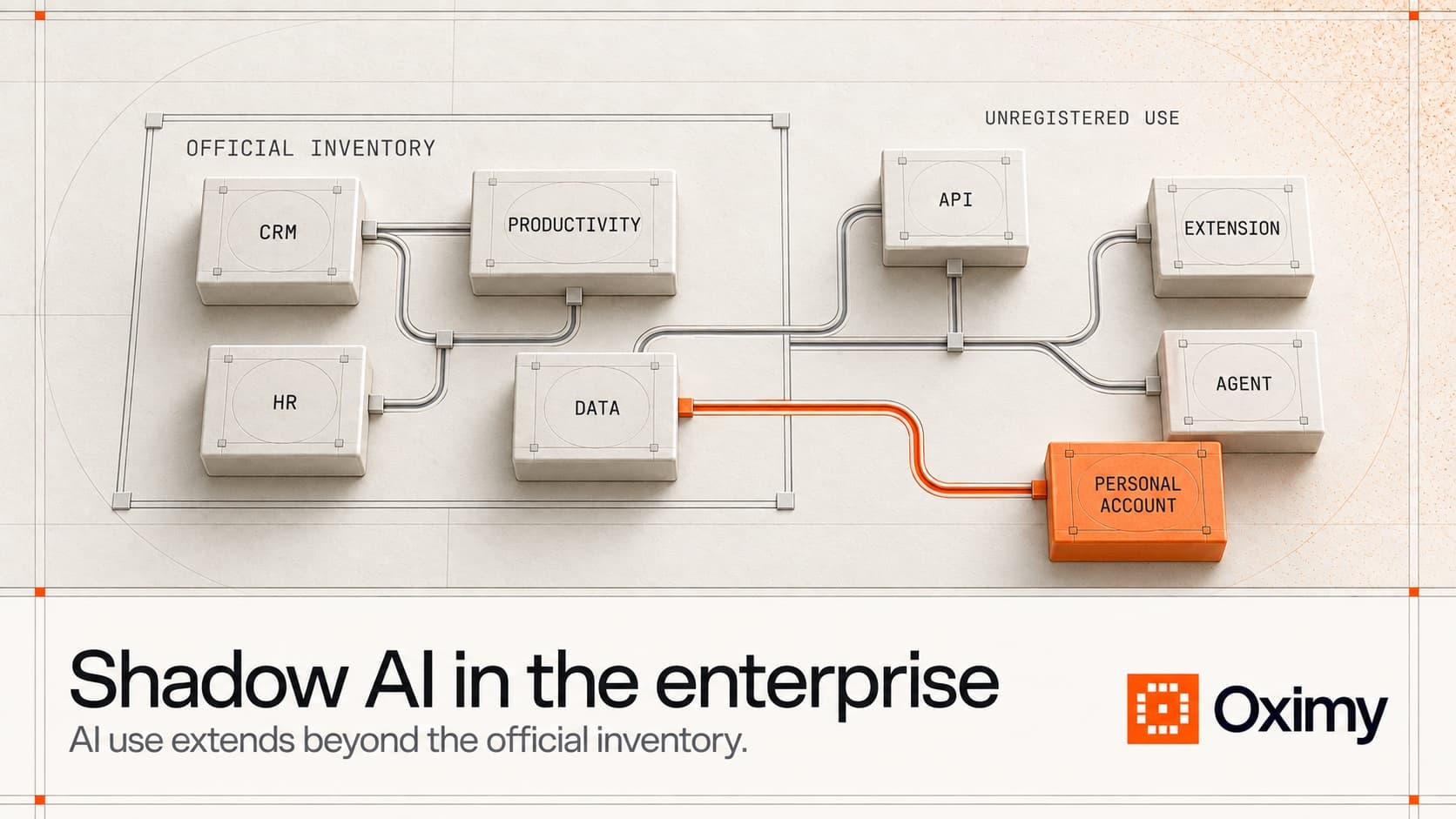
Shadow AI is the use of AI applications, models, agents, accounts, or embedded features outside the visibility, ownership, and control expected by the enterprise. It is first a governance and security problem. Measurement matters after discovery and triage because the organization also needs to distinguish dangerous use, duplicate spend, unmet workflow demand, and sanctioned AI worth supporting.
An effective response has five layers:
- Discover the AI use through authorized identity, security, network, endpoint, expense, procurement, cloud, and application records.
- Classify the data, action capability, business purpose, workflow, owner, and materiality.
- Contain urgent security, privacy, legal, or operational risk.
- Provide an approved path for legitimate demand instead of relying on a blanket ban.
- Measure cost, repeat workflow adoption, completed work, and outcomes before formalizing or expanding the investment.
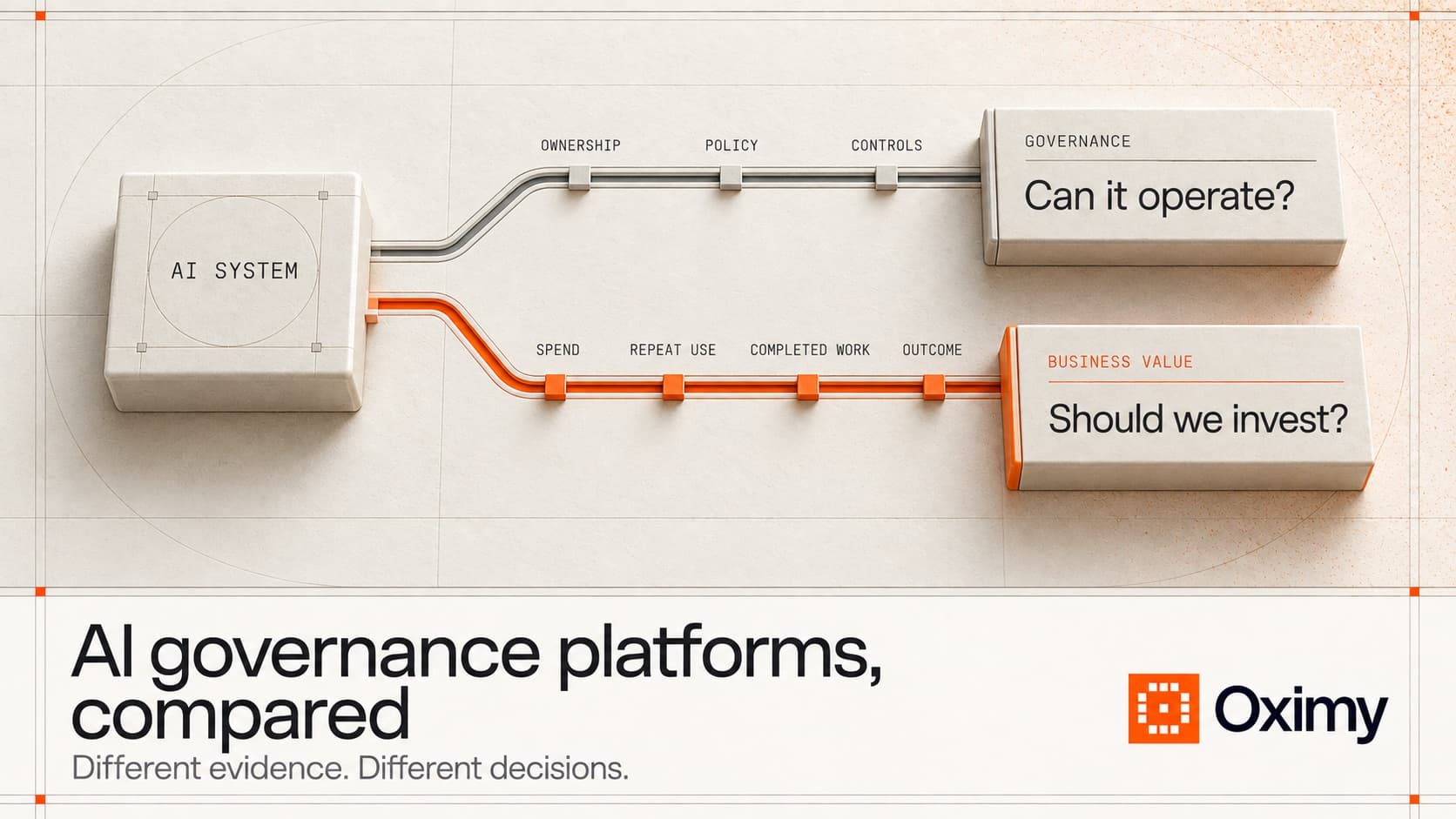
Shadow AI is a security and governance problem before it is a value question. Once immediate exposure is contained, unmanaged use can also reveal duplicate spend, missing approved tools, workflow friction, and valuable work that never entered the formal AI portfolio.
Oximy fits in the governance operating layer after discovery signals begin to establish visibility. It connects AI inventory and ownership to sanctioned use, cost, repeat adoption, completed work, measured results, and an investment decision. On Windows and Mac devices it also enforces AI policy: it checks AI requests, files, and coding-agent actions, then allows, warns, redacts, asks for review, or blocks before they go through. It does not replace incident response.
What is shadow AI?
Shadow AI occurs when people or teams use AI without the knowledge, approval, ownership, or controls expected by IT, security, privacy, legal, procurement, finance, or the AI governance program.
Examples can include:
- Consumer AI accounts used for company work.
- Personal subscriptions reimbursed through expenses.
- Browser extensions with AI features.
- Embedded AI capabilities activated inside approved SaaS products without separate review.
- Coding assistants installed outside the approved engineering toolchain.
- Direct model APIs created by a team without registration.
- Agents that connect to company systems or take actions without an approved owner and control model.
Shadow AI differs from shadow IT because AI introduces additional questions about prompts, training data, generated output, model behavior, automated actions, human oversight, and attribution. The boundary is not always clean. An approved application can still create shadow AI if a team activates an unreviewed AI feature or uses it for an unapproved purpose.
Why shadow AI grows
Employees usually adopt unapproved AI because it solves a work problem faster than the approved path. Common drivers include slow procurement, limited access to approved products, unclear policy, missing integrations, poor enablement, workflow pressure, and consumer tools that are easier to try.
That does not make unmanaged use acceptable. It does mean that enforcement alone may miss the reason use appeared.
The investigation should ask two questions at the same time:
- What risk must the organization contain now?
- What workflow demand caused people to seek this tool?
This prevents the company from confusing a security incident with a useful workflow, or formalizing a useful workflow without fixing the risk.
Shadow AI risks enterprises should evaluate
Sensitive-data exposure
Employees may enter confidential, personal, regulated, customer, financial, or proprietary information into tools the enterprise has not reviewed. The company may not know how the provider processes, retains, or uses that data.
Microsoft Purview documentation describes data-security and compliance controls for supported Microsoft Copilots, agents, enterprise AI applications, and detected third-party AI activity. Coverage depends on the organization's licensing, configuration, and supported scenarios.
Missing ownership and intended use
An unregistered AI application or agent may have no business owner, technical owner, approved purpose, data classification, review date, or incident path. The risk rises when the system can call tools, modify records, send messages, or make recommendations that affect customers or employees.
Uncontrolled output and operational dependence
A team can begin depending on AI-generated work without defining review requirements, quality measures, exception handling, or fallback procedures. The process may appear efficient until the tool fails, changes behavior, or becomes unavailable.
Duplicate and hidden spend
Personal subscriptions, overlapping licenses, model charges, cloud usage, and embedded AI add-ons can spread across cards, cost centers, and vendor contracts. Finance may see charges without knowing the workflow, owner, or business result.
Policy and regulatory gaps
Unapproved use can bypass data-handling rules, records requirements, procurement review, accessibility checks, model-risk processes, or industry obligations. Applicable legal and regulatory requirements depend on the use and jurisdiction.
Unmeasured business dependence
A team may quietly build a recurring workflow around an unapproved product. Blocking it without understanding the work can disrupt delivery. Approving it without evidence can turn unmanaged use into unmanaged investment.
Weak value claims
Prompt counts, visits, and active users show activity. They do not reveal whether the output reached an accepted completion event, whether quality changed, or whether the company should expand the tool.
Shadow AI detection tools and evidence sources
No single shadow AI detection tool sees every channel. Enterprises usually need evidence from several systems.
| Evidence source | What it may reveal | Important limitation |
|---|---|---|
| Identity and access | Accounts, sign-ins, approved applications, user groups | Personal accounts and unmanaged devices may remain invisible |
| Network, endpoint, browser, or security controls | Visits, application use, extensions, policy events, sensitive-data interactions | Coverage depends on deployment, configuration, privacy boundaries, and supported applications |
| Expense and procurement | Personal subscriptions, reimbursements, contracts, duplicate vendors | A charge does not prove usage, risk, or value |
| Cloud and model billing | API, token, infrastructure, and model consumption | Technical usage needs an owner and workflow context |
| SaaS and application inventories | Embedded AI features and licensed products | Feature activation may not equal meaningful adoption |
| Governance records | Intended use, owner, risk, controls, approvals, and exceptions | Unregistered use may be missing by definition |
| Workflow systems | Tickets, cases, changes, documents, approvals, or other completed work | Matching AI activity to work requires reliable identifiers and definitions |
Shadow ai tools should therefore be compared by coverage, collection method, context, controls, and exportability rather than by a generic feature score.
Shadow AI security is the part of the response concerned with data exposure, access, unsafe actions, policy violations, investigation, and containment. Detection supports that work, but discovery alone is not a security outcome. The enterprise still needs triage rules, enforcement options, incident ownership, and an approved path for legitimate use.
Questions to verify:
- Which applications, domains, models, agents, APIs, and embedded features can the tool identify?
- Does it observe access, activity, data interaction, action capability, or only a vendor name?
- Which employees, devices, networks, and environments are covered?
- How are personal accounts and unmanaged devices handled within policy and law?
- What data is collected, retained, and available for investigation?
- Can findings connect to governance, procurement, spend, workflow, and value records?
Shadow AI tools: five response layers
| Layer | Decision | Relevant system category |
|---|---|---|
| Discovery | What AI use exists, and how certain is the finding? | Identity, security, endpoint, network, expense, procurement, SaaS, cloud, and AI discovery systems |
| Security | Is sensitive data exposed, policy violated, or an unsafe action possible? | DLP, security operations, access controls, application controls, and incident response |
| Governance | Who owns the use, what is its purpose, and which controls apply? | AI inventory, risk, policy, approval, exception, and monitoring platforms |
| Spend | What is purchased, duplicated, unused, or unallocated? | Procurement, finance, expense, SaaS management, cloud, and model-billing records |
| Value | Which use reaches repeat workflows, completed work, and measurable outcomes? | Workflow systems, outcome data, analytics, and Oximy |
This map does not claim that every product covers every layer. Buyers should verify actual support, deployment, retention, integrations, and controls directly with each vendor.
Prioritize findings by risk and workflow value
Not every shadow AI finding deserves the same response. A practical triage combines risk with evidence of a legitimate workflow.
| Risk state | Workflow evidence | Recommended response |
|---|---|---|
| High risk | Weak or unknown business purpose | Contain or block, investigate, assign an owner, and preserve evidence |
| High risk | Material recurring workflow | Contain the unsafe path, then evaluate a governed alternative without disrupting critical work blindly |
| Lower risk | One-off or trivial activity | Educate, monitor where appropriate, and avoid inflating the formal portfolio |
| Lower risk | Repeat use with completed-work evidence | Route through governance, compare approved options, and evaluate spend and outcomes |
| Unknown risk | Unknown workflow value | Collect enough evidence to classify both dimensions before approving investment |
The matrix avoids two expensive errors. The first is treating every domain visit as a major incident. The second is treating frequent use as proof that the tool should be approved and funded.
When a team claims that an unapproved tool is essential, ask for the workflow, frequency, completed-work record, current alternative, data involved, review process, and consequence of interruption. That produces a better decision than relying on either usage volume or enthusiasm.
A practical shadow AI governance process
1. Define the monitoring boundary
Document the AI systems, accounts, devices, networks, data, employees, contractors, and environments in scope. Align monitoring with policy, employee transparency, privacy requirements, and legal review.
2. Discover and normalize findings
Combine authorized evidence sources, deduplicate vendors and applications, and preserve the source and confidence of each finding. A domain visit, expense charge, API key, and recurring workflow are different signals.
3. Classify the use
Record the owner, intended purpose, workflow, data sensitivity, affected parties, action capability, frequency, cost, and current control state.
4. Triage the response
Block or contain material risk. Route plausible business use to a fast review. Close noise and one-off findings without inflating the inventory.
5. Provide an approved path
Offer an approved product, governed account, controlled environment, or exception process when the workflow is legitimate. A policy with no usable path encourages evasion.
6. Measure recurring work
Separate experimentation from repeat adoption. Identify the unit of work, completion event, baseline, quality guardrail, and relevant cost.
7. Make the portfolio decision
Decide whether to approve, restrict, replace, consolidate, expand, or stop the use. Preserve the evidence, owner, decision date, and follow-up action.
How Oximy fits
Oximy's AI tool and agent inventory and AI investment review support a governance record after discovery signals begin to improve visibility. Oximy connects AI tools and agents with owners, sanctioned use, costs, repeat adoption, completed work, measured results, and portfolio actions.
Oximy can help answer:
- Which discovered tools and agents have an owner and a material workflow?
- Which uses are one-off experiments versus recurring work?
- Where do subscriptions or model costs overlap?
- Which recurring uses connect to completed work and outcomes?
- Which investments should be approved, consolidated, redesigned, or stopped?
- Should this upload or agent action be allowed, warned, redacted, sent for review, or blocked?
Oximy is positioned for AI governance and security in large-scale enterprises. It enforces shadow AI policy on Windows and Mac devices, checking AI requests, files, and agent actions before they go through, but it does not replace red teaming, incident response, or every governance control. Its role is to keep shadow AI management from ending at discovery by carrying findings into ownership, sanctioned use, measurement, and action.
What an enterprise shadow AI policy should include
- Covered applications, models, agents, APIs, accounts, embedded features, devices, and data.
- Approved, restricted, and prohibited uses with concrete examples.
- Data handling, access, retention, records, and human-review requirements.
- Rules for agents and AI systems that can take actions.
- A fast review path for teams with a legitimate workflow need.
- Monitoring boundaries, employee transparency, and escalation routes.
- Ownership, exceptions, incident handling, and review dates.
- A path from approved use to adoption, spend, and value measurement.
Policy should tell employees what to do when the approved tool does not meet the workflow need. Otherwise, the organization documents a prohibition without fixing the demand.